Conversion improves
More enquiries from the same traffic. Button placement, copy order and form length each move the result.


UX/UI design
An attractive interface does not sell on its own. We first study how users make decisions and only then draw the screens — the result is more enquiries and orders, and fewer support questions.
What is UX/UI design?
UX/UI design is the practice of designing both how an interface looks (UI) and how a user reaches their goal within it (UX).
UI (User Interface) is what the user sees: colours, typography, buttons, icons, layout. UX (User Experience) is what they feel: how many steps it took to reach their goal, whether they got lost, whether they understood what to do next, whether they came to trust you.
In many projects the mistake starts right here: the design is drawn 'to look good' while the user's path goes unconsidered. The site ends up looking modern, yet the customer cannot find the price, abandons a form halfway because it is too long, or cannot tell which button to press.
Innosoft Systems starts design with research: who uses it, what job they are doing, how competitors handle it and where the friction is. Then come wireframes, an interactive prototype and the visual design. At the end developers receive a finished Figma file and a design system.
In short
Why money spent on design comes back during development:
Why you need it
Design is not decoration — it is a sales and savings tool.
More enquiries from the same traffic. Button placement, copy order and form length each move the result.
Fixing a screen in Figma takes an hour; fixing it in code takes a day. The prototype stage lowers the total project cost.
You and the team see the result before development starts. 'I imagined it differently' stops happening.
In internal systems, good UX translates into training time and error rates. A day of learning is cheaper than a week.
Customers judge quality first with their eyes. A considered interface raises trust in the company.
You receive a design system (components, colours, typography) so new screens are drawn quickly and consistently later.
Who orders it
The situations where design is most often needed as a standalone service.
Screens and the user journey are worked out before development, which lowers the cost of the whole project.
Traffic is there, enquiries are not. A UX audit shows in numbers where customers drop off.
The site or system was built three to five years ago: awkward on mobile, the brand has moved on, it is hard to use.
CRM, ERP or admin panels: interfaces where staff spend hours a day deserve careful design.
You have engineers but no designer. We do the design and hand over finished mockups.
There is no working product yet, but an interactive prototype is enough to show the idea.
Examples
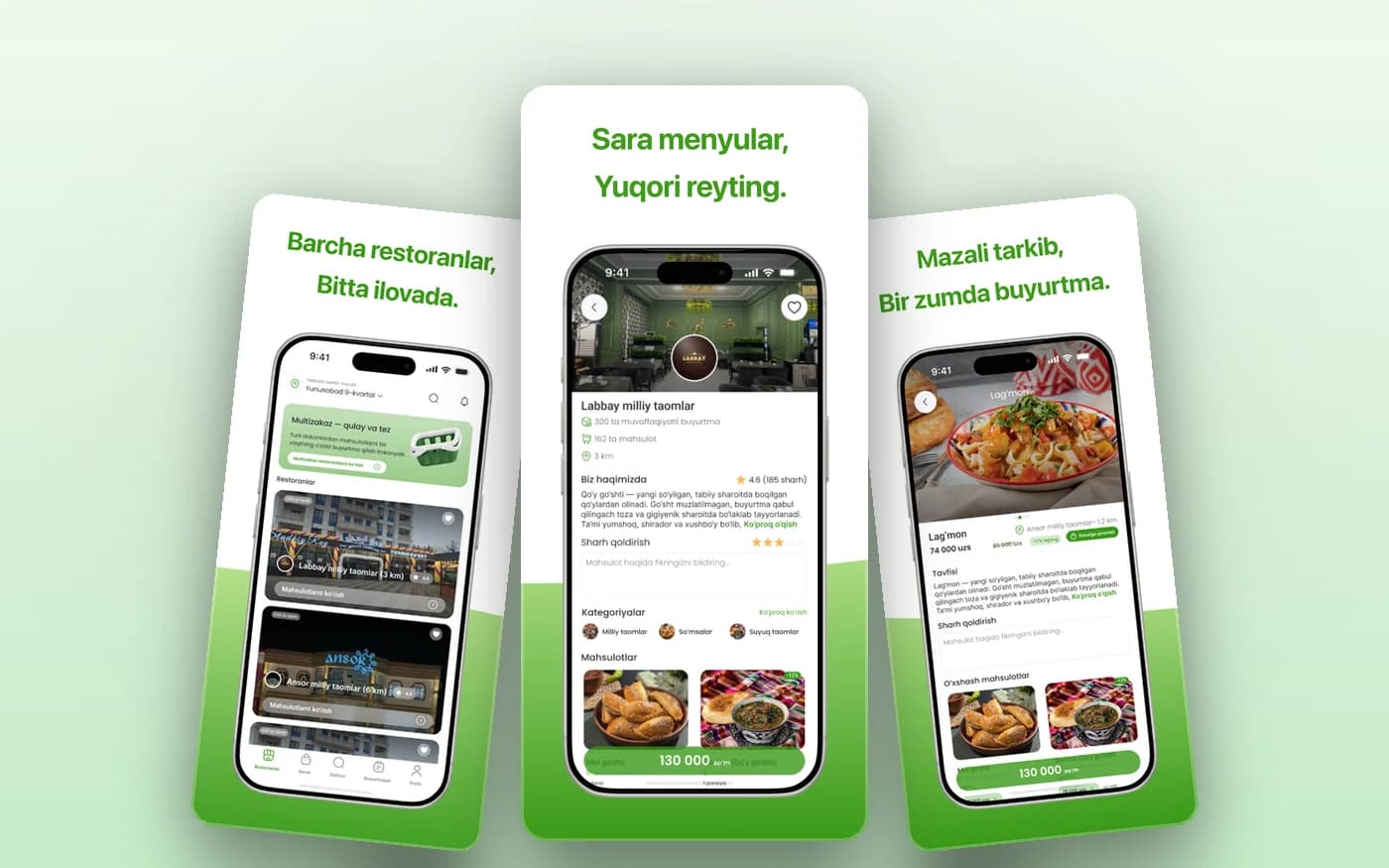
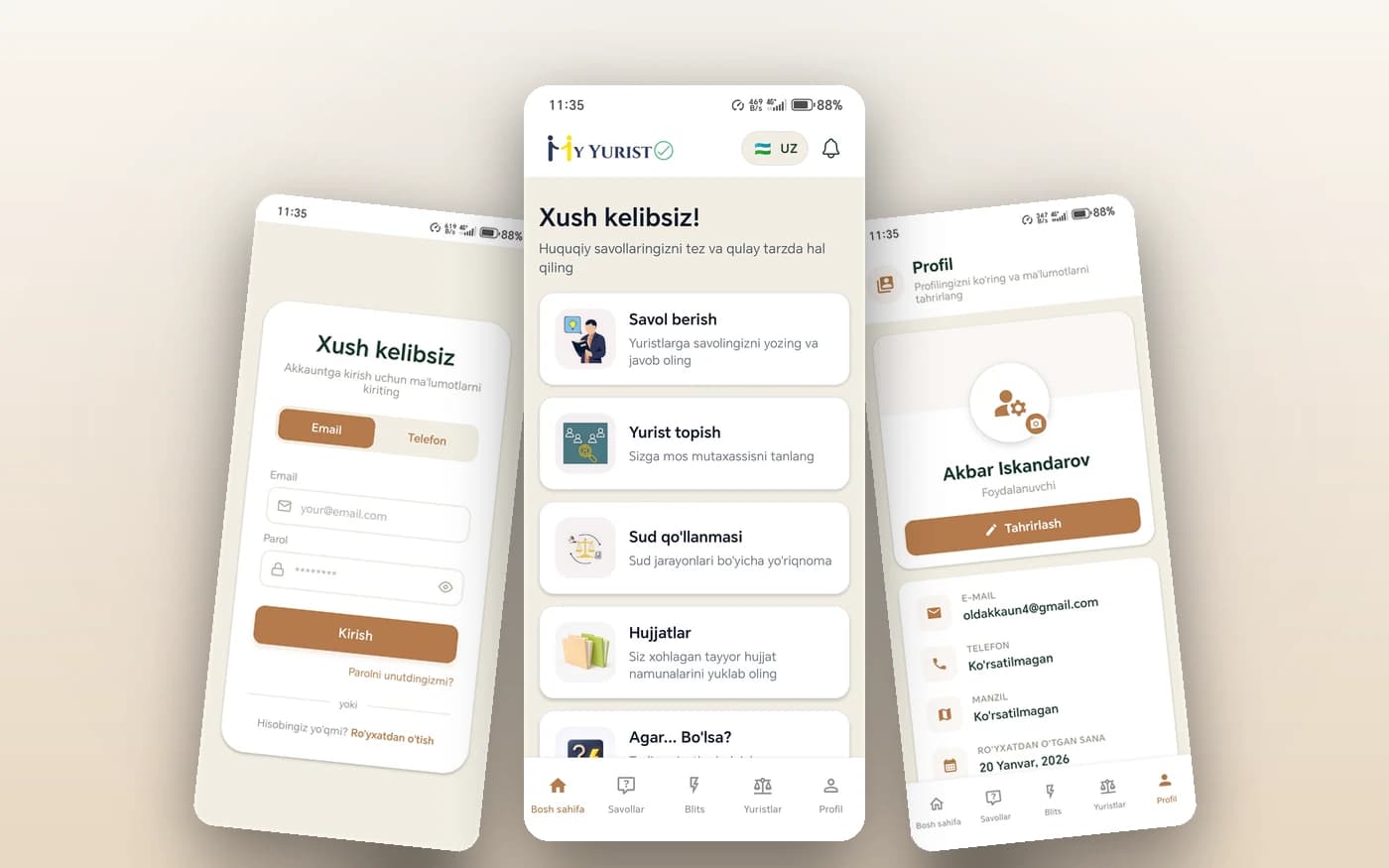
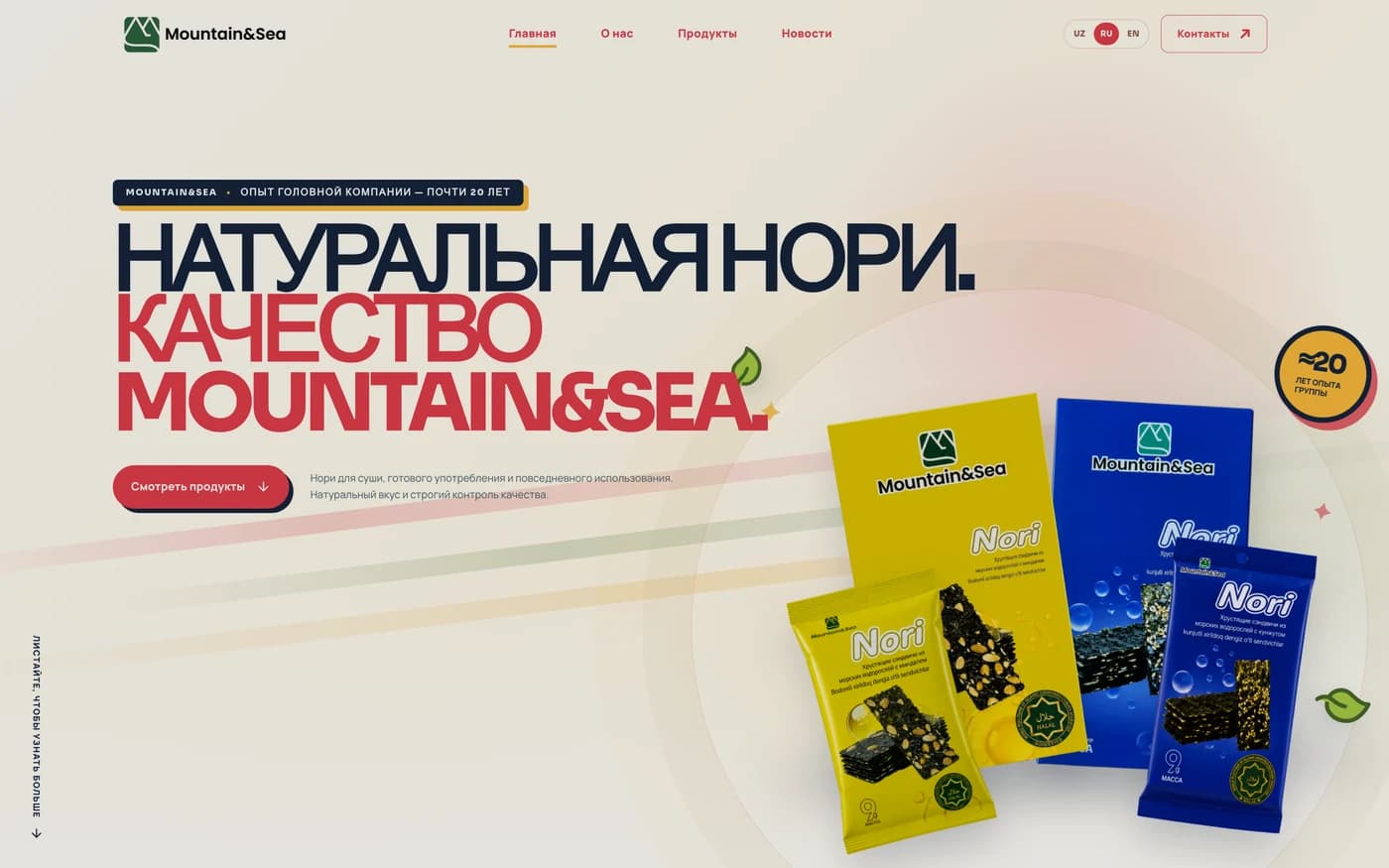
Every project from scratch: research, prototype and visual design are all ours.
Pricing
Pricing is transparent. Every plan includes Figma source files and developer-ready mockups.
Design
For a website or small app
15,000,000UZS and up
3–5 weeks
Landing pages, corporate sites or apps of five to eight screens
Choose DesignProduct
Full product and design system
35,000,000UZS
6–10 weeks
Multi-screen apps, platforms or internal systems
Choose ProductCustom
Audit and long-term partnership
On request
Project-dependent
Ongoing design support or redesigning a large system
Request a quotePrices are for 2026; the final quote depends on the number and complexity of screens. Design can be ordered on its own or together with development — in the latter case it is already part of the project price.
What's included
These are not paid add-ons — they are in the base plan too.
Process
Five stages. The user journey is understood before anything is drawn.
We study the business, its users and competitors, and record what the design has to achieve.
Screen sequence and block layout are drawn without colour. The logic is approved at this stage.
Brand style, colours, typography and finished screens — key screens first, then the rest.
An interactive prototype is assembled and shown to real people. Anything unclear is fixed.
Developers receive the mockups, components and technical notes. We advise throughout development.
FAQ
Short answers to the questions we hear most about UX/UI design.
In a free consultation we review your site or idea, point out where the friction is and fix an exact price and timeline. No obligation.